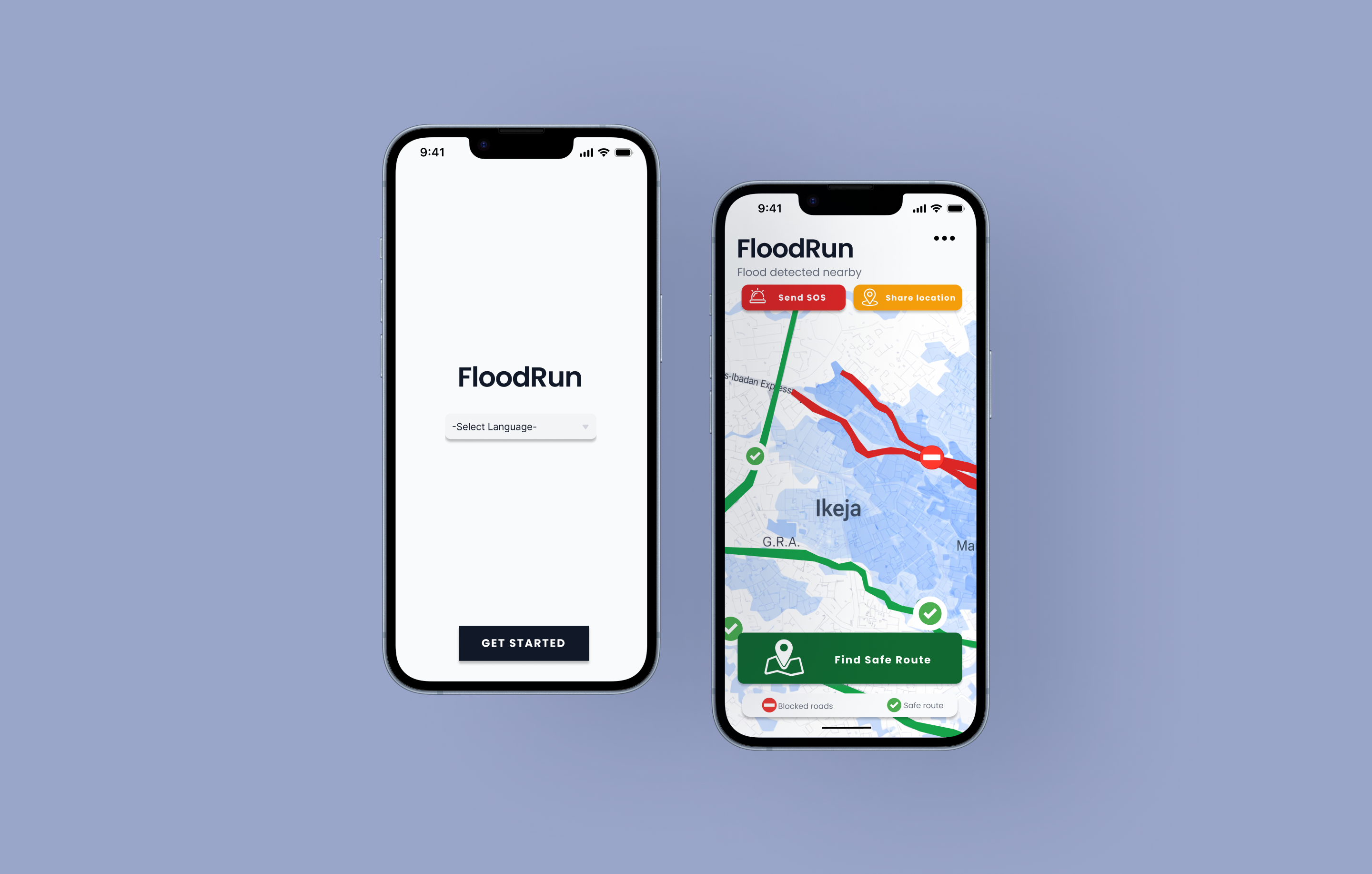
Emergency Flood Evacuation for Lagos, Nigeria
Lagos experiences severe seasonal flooding that leaves millions stranded with no reliable guidance. FloodRun is a mobile app designed to help residents quickly find safe routes, locate shelters, and alert emergency contacts, all optimized for high-stress, low-bandwidth situations.
Overview
Lagos, Nigeria faces increasingly severe urban flooding driven by heavy rainfall, rapid population growth, low-lying coastal terrain, and insufficient drainage systems. Events like the July 2024 Lekki floods caused widespread street inundation, property damage, and disrupted travel across major neighbourhoods.
Entire neighbourhoods like Amuwo-Odofin are constantly at risk. Current communication channels — social media, word-of-mouth, SMS alerts, are not optimised for high-stress, fast-moving flood situations. There is a clear need for real-time, accessible emergency UX that enables safe evacuation decisions.
Precedent Research
I analyzed three existing tools Lagos residents rely on during floods. Each has real strengths but leaves a critical gap: none of them guide users through what to do next in a high-stress emergency.
| Tool | What it does well | What's missing |
|---|---|---|
| Google Maps | Real-time traffic Road closures Familiar interface | Not built for emergencies No flood-safe routing Too many options under panic |
| NEMA SMS Alerts | Official source Broad reach Works on basic phones | Text-heavy, no visuals No routing or shelter info One-way communication only |
| Twitter / WhatsApp | Fast information spread Real-time resident updates | No verification Amplifies panic & misinformation No safety action prioritization |
Design Challenge
How might we design a flood emergency app that helps Lagos residents act quickly and safely — even under panic, with limited data and a dying phone battery?
User Persona & Journey Map
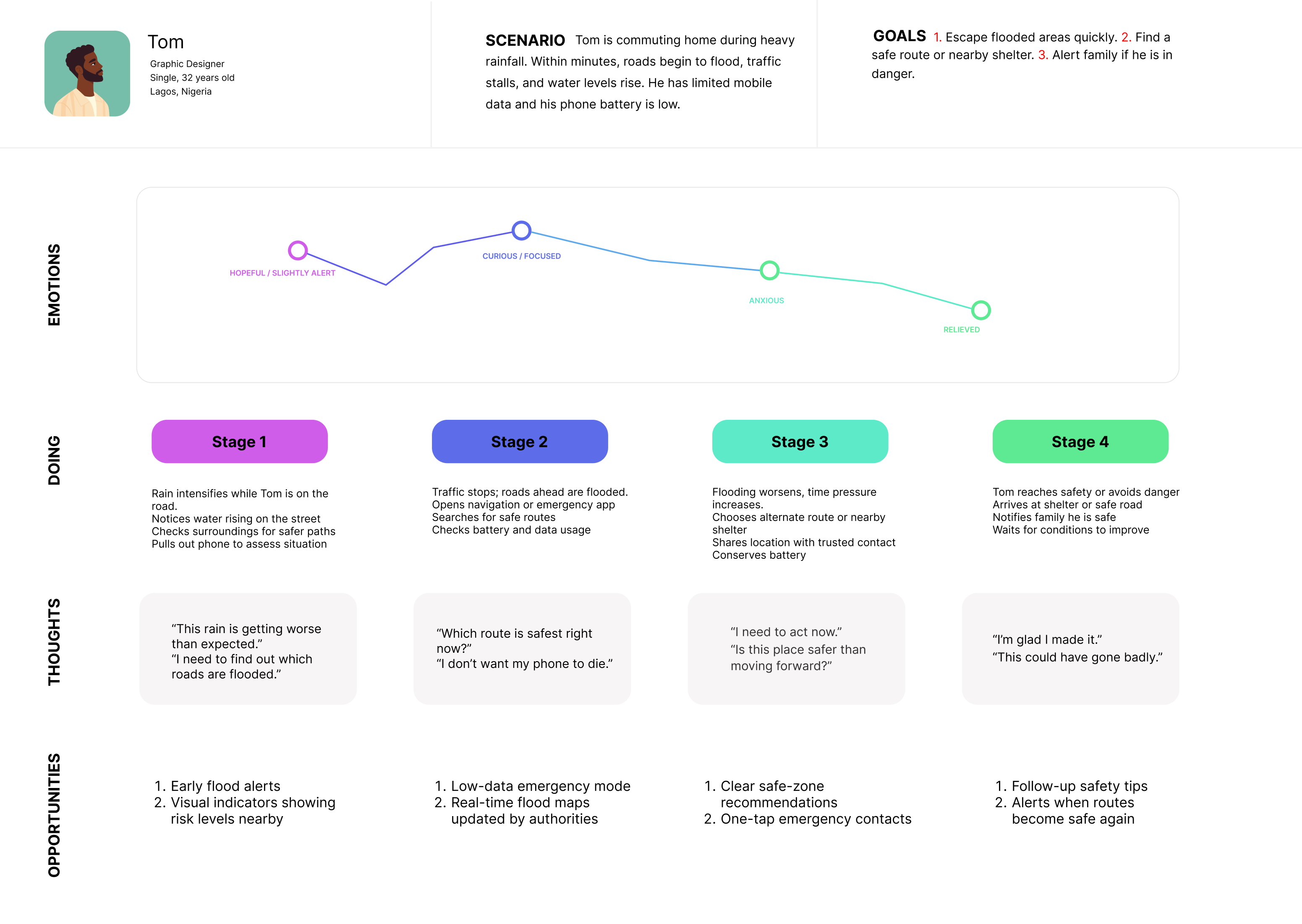
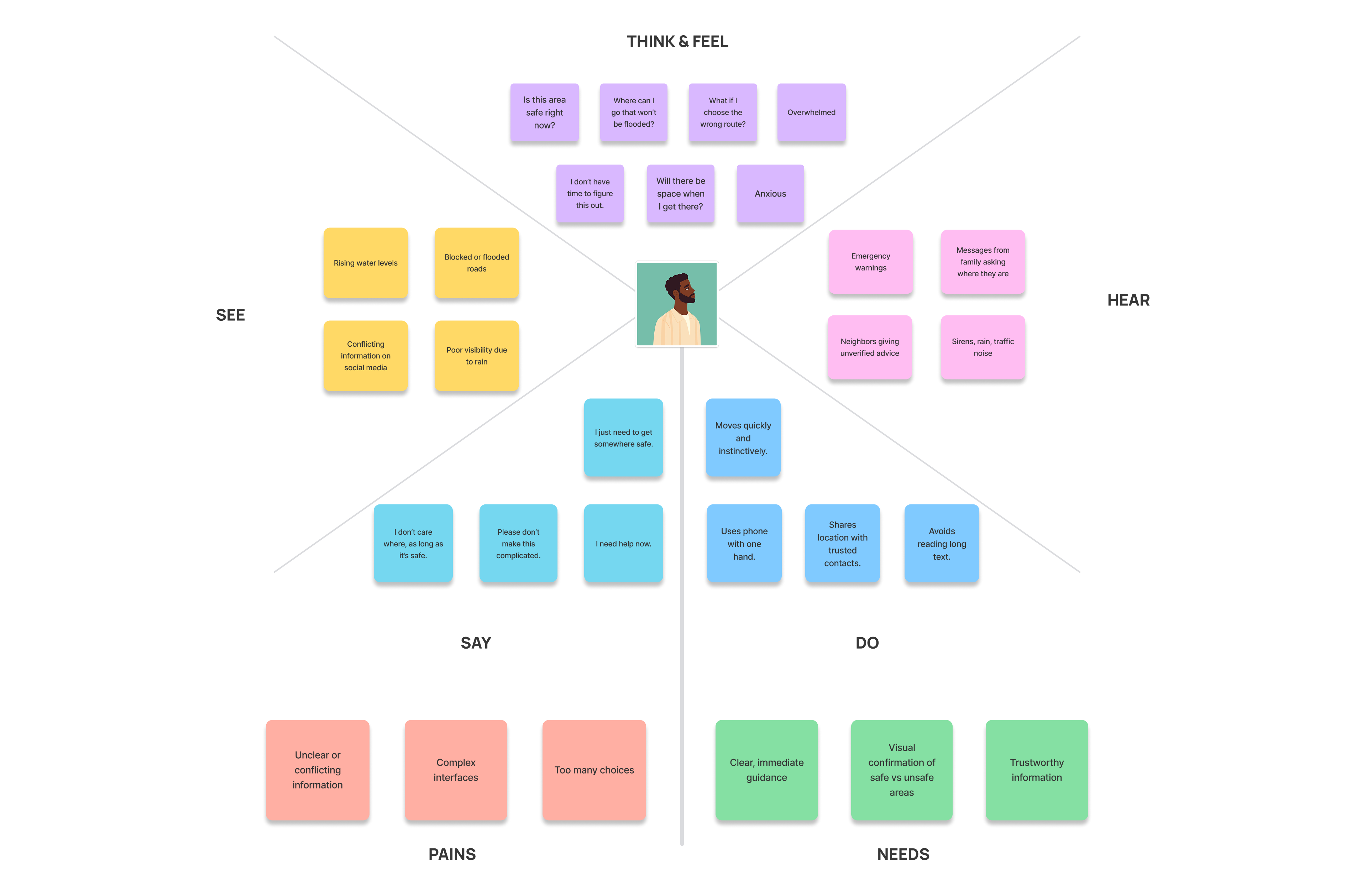
Tom is a 32-year-old graphic designer commuting home during heavy rainfall. Within minutes, roads begin to flood, traffic stalls, and water levels rise. He has limited mobile data and his phone battery is low. His goals are to escape the flooded area quickly, find a safe route or nearby shelter, and alert his family if he's in danger.
His emotional journey moves from hopeful alertness → curious focus → acute anxiety → relief. The design needed to support him at the most critical stage: Stage 3, where flooding worsens and time pressure peaks.
Site Map & Sketches
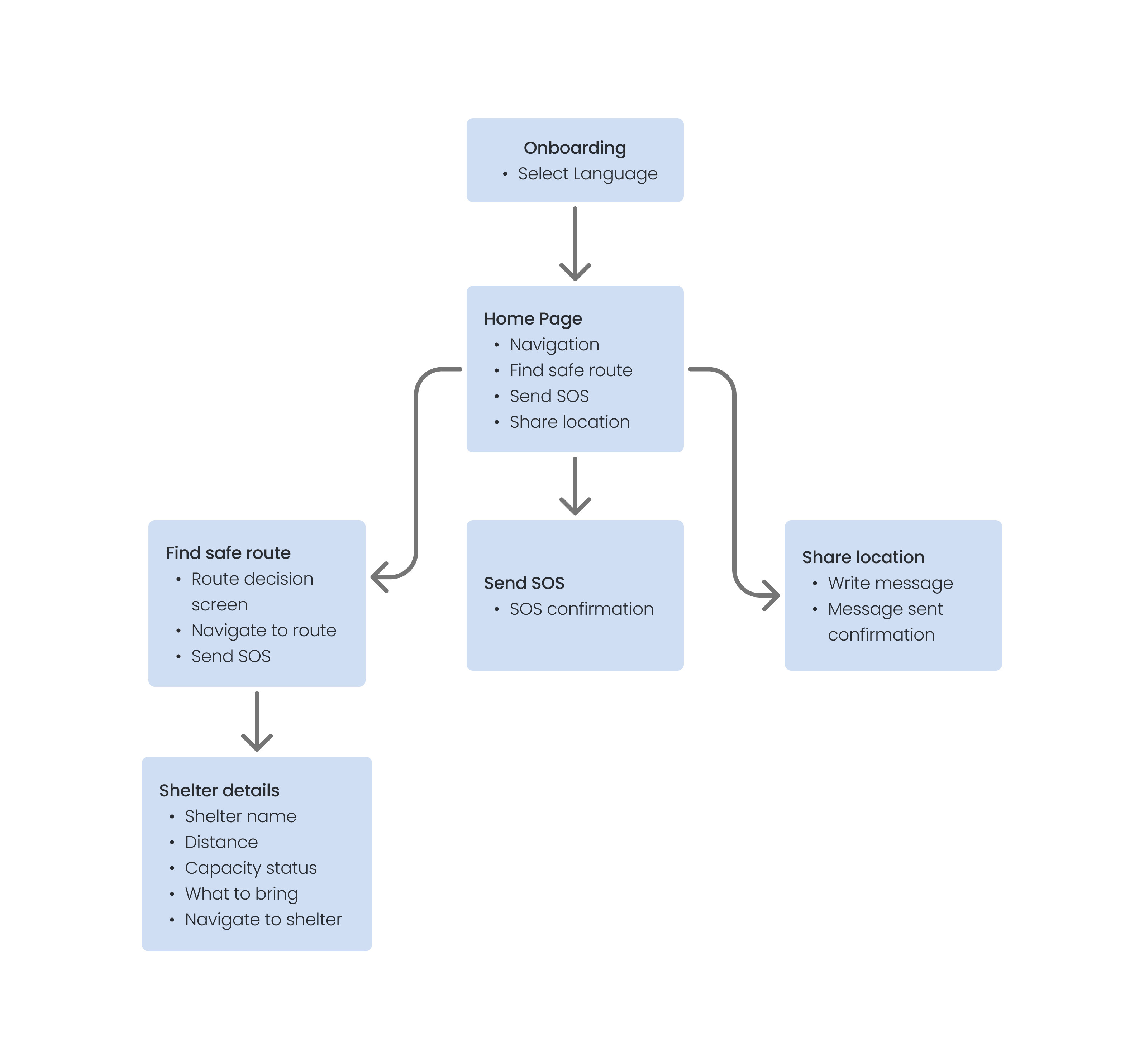
The site map kept the structure deliberately simple: onboarding leads to a single home screen with three core actions — Find Safe Route, Send SOS, and Share Location. Each branch follows a clear linear path to resolution, minimizing decision points under stress.
Wireframes
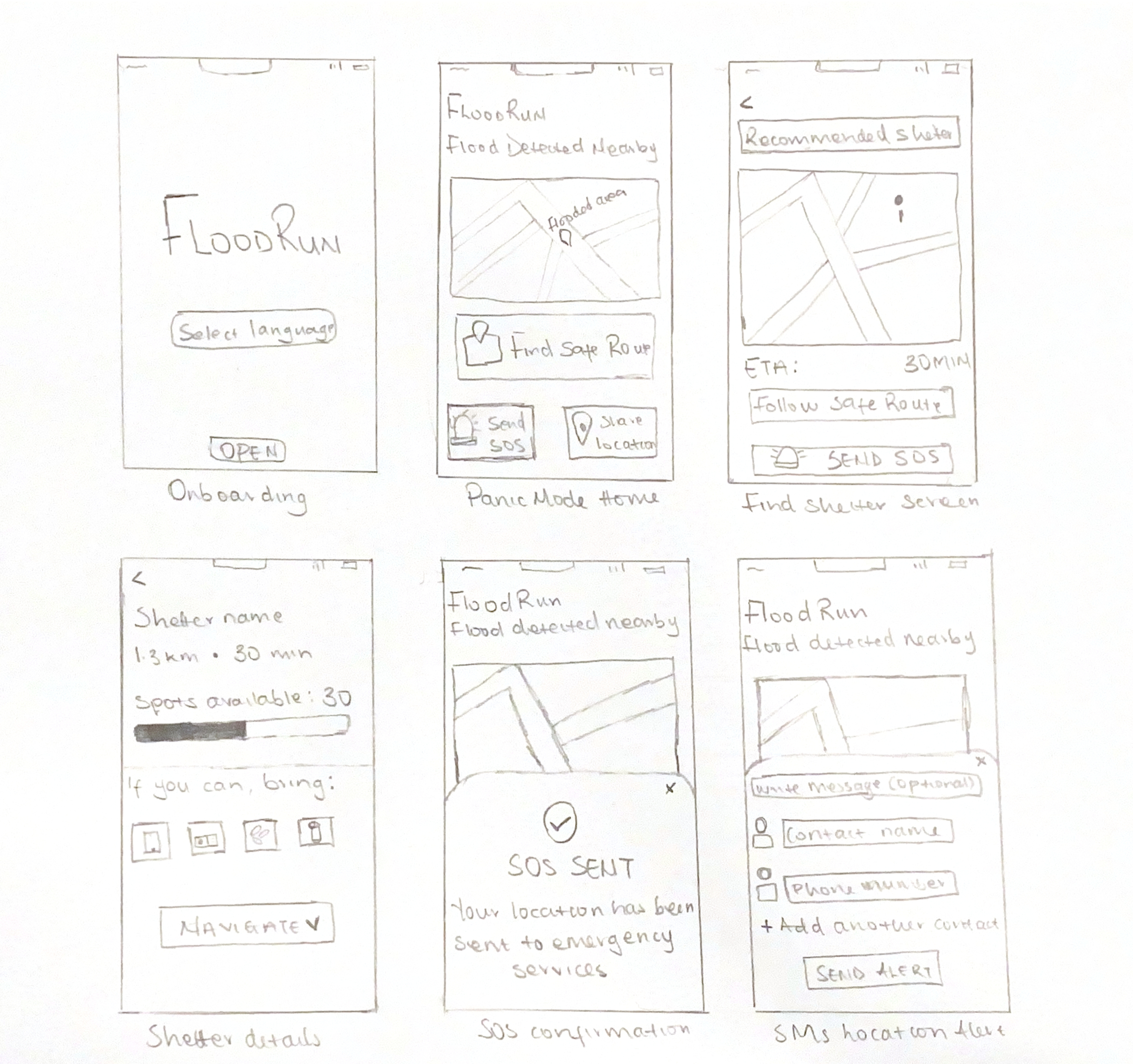
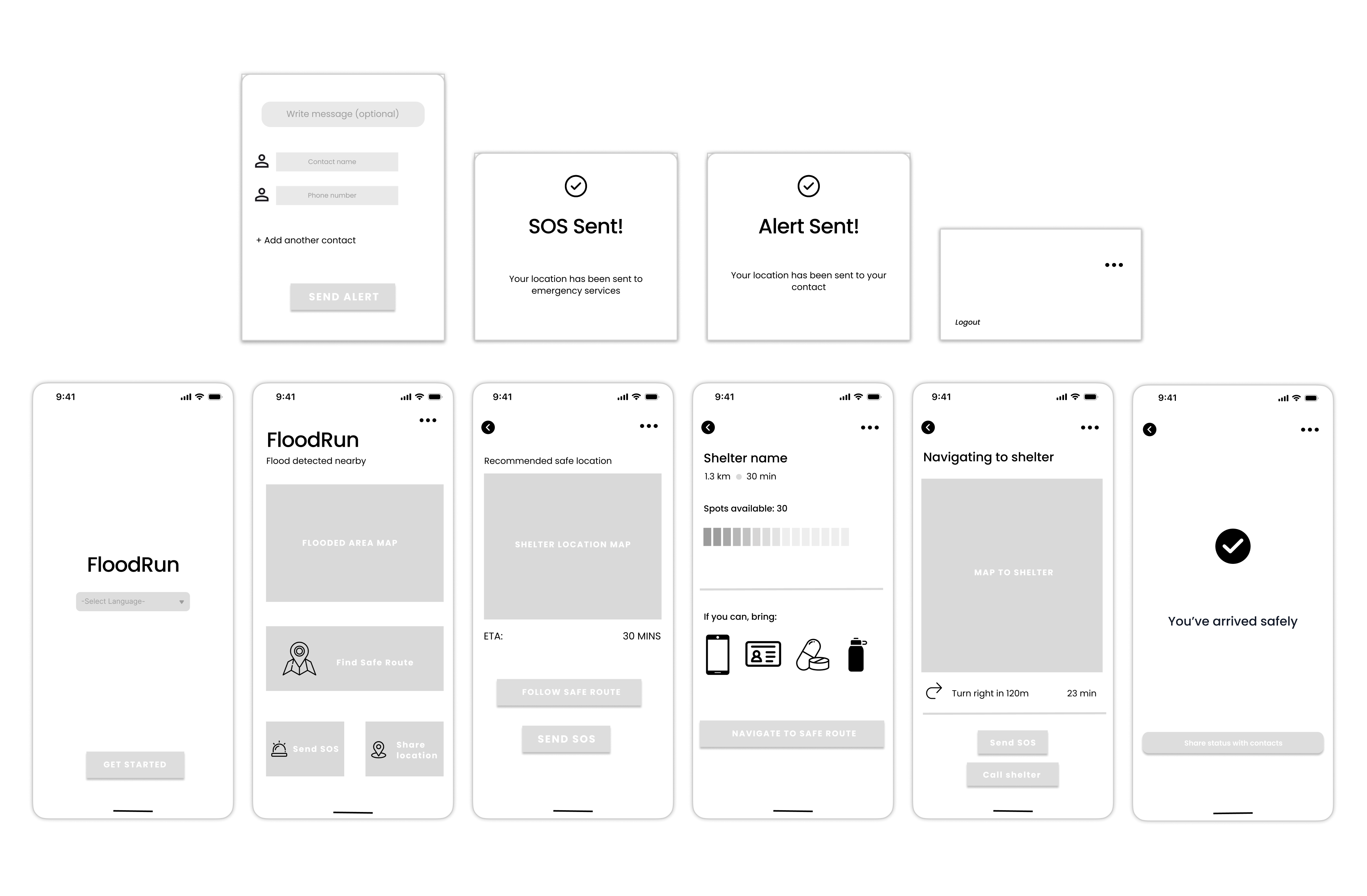
Wireframing helped validate the core user flow — from language selection on onboarding through to the "You've arrived safely" confirmation screen, before committing to visual design. Key decisions included the placement of the SOS button (always visible), the shelter capacity bar, and the step-by-step navigation layout.
Key Design Decisions
Final Design
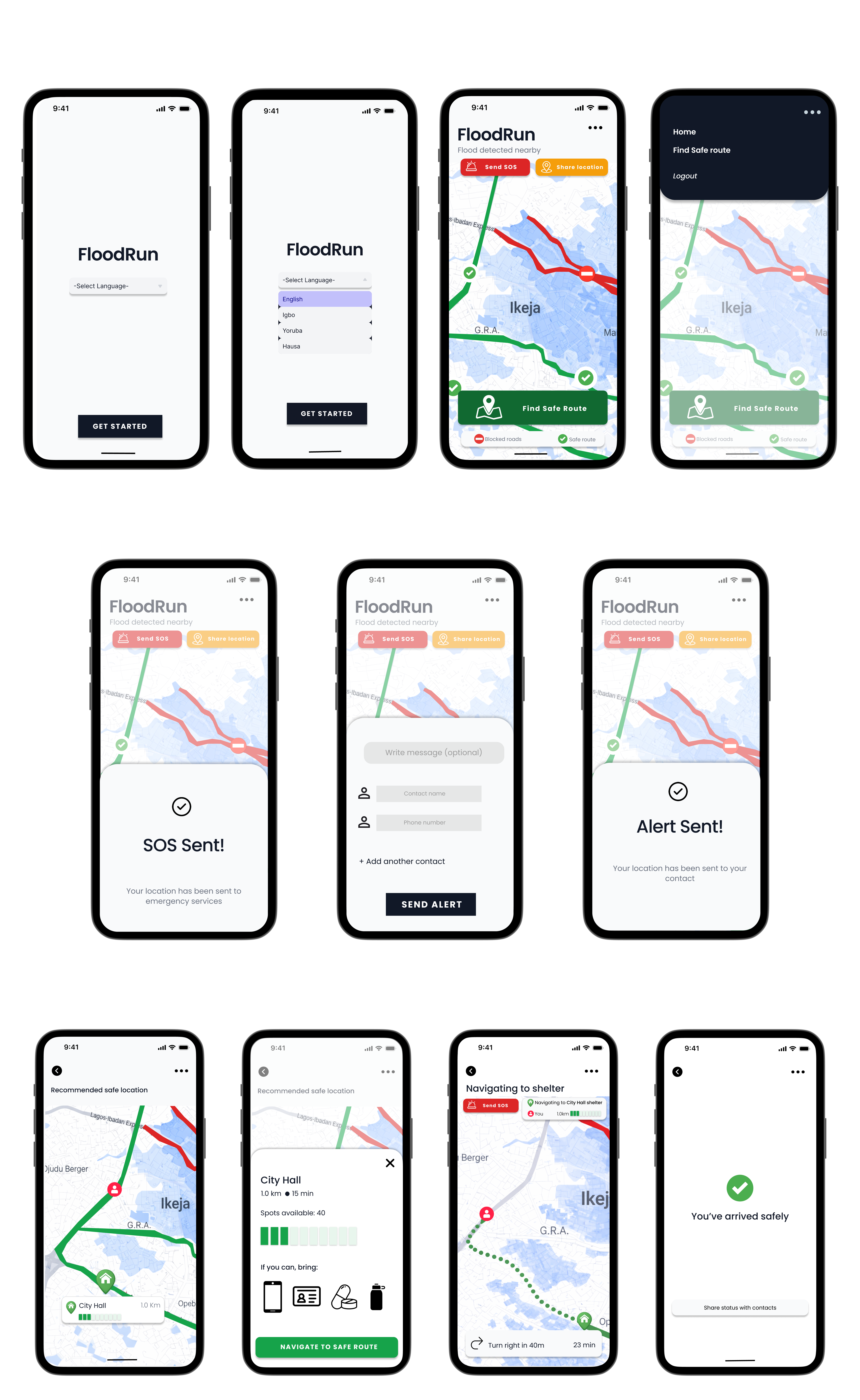
The final prototype covers the full emergency flow — language selection, real-time flood map with safe/blocked route colour coding, shelter finder with capacity status, turn-by-turn navigation, SOS alert, location sharing, and a safe arrival confirmation screen.
Reflection
FloodRun pushed me to think about design in genuinely high-stakes contexts, where poor decisions aren't just frustrating, they could be dangerous. The strongest part of the work was the clarity of the user flow: from home screen to safe route to shelter to arrival, each screen serves one purpose and guides the user forward without asking them to think.
With more time, I would refine edge cases — what happens when no safe routes are available, or shelters reach capacity and conduct usability testing with users who speak Igbo, Yoruba, or Hausa to verify the multilingual experience holds up under pressure.